Free browser tool · No sign-up
Personal Loan Payment Tracker
Record payments on a loan between friends or family and see what’s still owed. Use it with an agreed repayment schedule or simply keep a payment log without one.
The manual tracker’s record stays in this tab unless you choose “Save this tracker on this device.” Saving keeps one copy in this browser; it does not sync with the iPhone app.
For personal loans between people you know. This tool does not lend money, move payments, create a legal agreement, or enforce repayment.
If this is a bank, credit-union, vehicle-finance, or other formal installment debt, use the Debt Repayment Tracker for the lender-statement reconciliation method and the limits of manual projections.
Not sure what belongs in the record? Read how to track a personal loan between friends or family before entering the current balance and payments.

Bring your existing records
Import one loan’s history, then keep tracking
You Owe Me can turn existing records for one personal loan into a loan history you review before saving. Start with pasted notes or a copied table, a CSV, Excel (.xlsx) or Word (.docx) file, or a photo of typed or handwritten notes. Records can be in different languages; check the interpretation carefully.
- Bring one loan. Include who lent to whom, the currency, the original loan or starting balance, and the dates and amounts of real repayments or additional advances.
- Review the result. Check and correct the person, dates, currency and amounts. Actual repayments stay separate from future scheduled payments. A supported interest-free repayment plan can be reviewed when provided.
- Continue on iPhone. Open the reviewed loan through the private iPhone link or QR code. Use the App Clip to continue into the full You Owe Me app, save the loan, and record later repayments against the same history.
Import handles one loan at a time. It does not automatically synchronize a spreadsheet, merge into an existing loan, or move this page’s manual browser tracker into the app. App capacity and repayment-plan limits still apply.
Choosing “Convert to a loan” sends the selected text, photo or supported file contents to You Owe Me’s service and OpenAI for interpretation. You review the result before continuing. Manual entry is also available.
Already using the app? Choose New loan → Import loan history from Records or a borrower’s screen.
Example: past payments and the next repayment
Illustrative records in USD: Alex lent Jordan $1,200 on July 10, 2026. Jordan repaid $150 on August 1 and $300 on September 1. Alex advanced another $100 on September 10. The remaining balance is $850: $1,200 − $150 − $300 + $100. After reviewing and saving that history, a later actual repayment of $100 leaves $750. A planned future payment does not reduce the balance until it actually happens.
Enter the balance and payments
Use one current balance and add only the activity you know. The tracker processes entries in date order and recalculates the loan whenever you update the starting details or activity history.
This is a private browser calculation for one personal loan. It is not a shared account or legal record.
Step 3
Record what actually happened
Add real payments as separate dated entries. Do not edit the original balance each time someone pays.
| Date | Activity | Amount | Note | Balance after activity | Actions |
|---|
No activity recorded yet
Add the first real payment or any additional borrowing that happened after tracking began.
Planned versus actual repayments
Payments are applied to the oldest unpaid scheduled amount first. Extra money flows forward to later installments.
Add an agreed regular plan to compare actual payments with scheduled installments.
| Installment | Due date | Planned amount | Actual amount applied | Still needed | Status |
|---|
Activity history
This history shows the real entries behind the current calculation.
| Date | Activity | Amount | Note | Applied to | Balance after activity |
|---|
No activity has been recorded in this tracker.
Keep a copy of this snapshot
The browser tracker can give you a useful current record without an account. Copy, print, export, or save it on this device.
Copyable summary
- Person
- Loan
- Perspective
- Currency
- Tracking start
- Starting/current balance
- Paid before tracking
- Plan details
- Generated date
Saved data stays in this browser only. It is not synced to You Owe Me or sent through analytics. Clearing browser data can remove it.
This manual browser tracker has no automatic transfer to the app. To bring an existing loan history into You Owe Me, use the separate loan-history importer above and review the source records before continuing.
How this tracker applies payments
These are the calculation rules used on this page. They are recordkeeping rules for this browser tool, not legal instructions.
| What happens | How the tracker handles it |
|---|---|
| A payment matches the installment | Marks that installment paid and moves to the next unpaid amount. |
| A payment is smaller | Leaves the unpaid part of the oldest installment visible. |
| A payment is larger | Completes the oldest unpaid amount and applies the excess forward. |
| A payment is early | Records the real date and applies the money to the oldest unpaid scheduled amount. |
| A payment is late | Preserves the original due date and shows the amount as overdue until it is covered. |
| More money is borrowed | Increases the remaining balance and extends the future projection without rewriting paid history. |
| An entry is corrected or deleted | Recalculates every later balance and installment allocation. |
| The loan is paid off early | Marks future installments that are no longer required as no longer needed. |
- Activity is processed in date order. Entries on the same date are processed in the order they were added.
- Payments apply to the oldest unpaid scheduled amount first.
- Paid history remains historical. Future projections may change.
- The final installment may be smaller than the regular payment.
- Paid before this tracker is context only and is not subtracted from the current balance again.
- Amounts are calculated in the currency’s smallest supported unit rather than with floating-point arithmetic.
For monthly plans, the tracker keeps the original day of the month when possible. When a month is shorter, it uses that month’s final day.
See a partial payment, an extra payment, and more borrowing
In the worked example, a friend owes 1,200 and the regular plan is 200. A payment of 150 leaves 50 open. A later payment of 300 completes that 50, covers the next 200, and applies 50 forward. Another 100 is then added to the loan, so the future projection extends without changing the payments already recorded.
Is this browser tracker enough?
Use the lightest method that will stay accurate. A browser snapshot is useful when the situation is simple. An ongoing app record becomes useful when the loan will keep changing.
A note or message may be enough
- One simple payment
- No regular plan
- No future changes expected
- Both people already agree
- No lasting history required
This browser tracker may be enough
- One named loan
- One device is sufficient
- A current calculation is the main need
- Copy, print, or CSV is enough
- Browser-local saving is acceptable
You Owe Me becomes useful
- Payments will continue for months
- Reminders need to stay current
- Entries may be corrected later
- Additional borrowing may happen
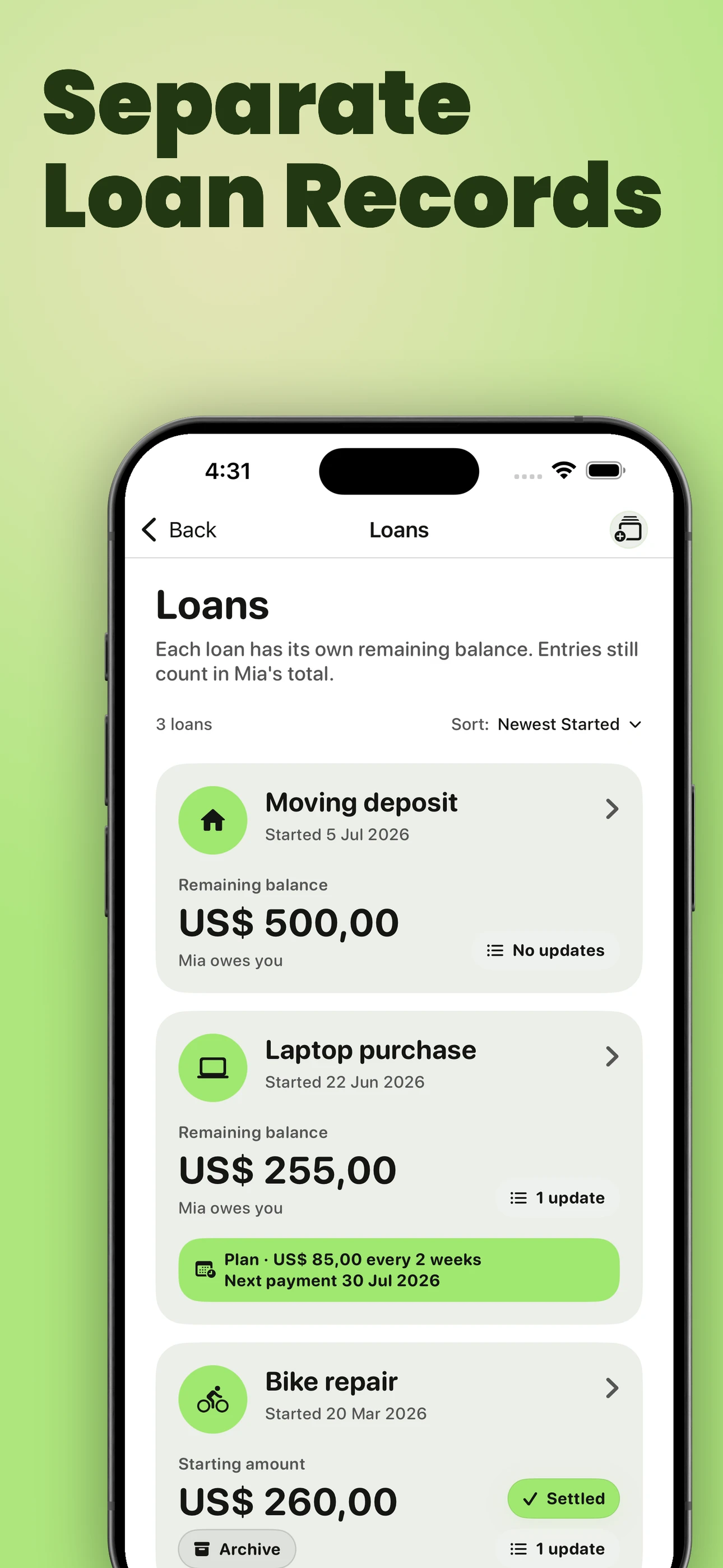
- Several named loans exist with the same person
- Timeline and PDF history matter
The browser tracker is useful for reviewing one loan on one device. You Owe Me is useful when the record needs to continue through future payments, reminders, corrections, plan changes, and the person’s wider money history.
See the full personal-loan workflowWhen the record needs to continue
The browser tool gives you a current snapshot. In You Owe Me, the same named loan can remain connected to future payments, reminders, corrections, additional borrowing, Timeline history, and its current repayment plan.
One person can keep the record. The other person does not need to install the app. You Owe Me records and plans; it does not move money or enforce repayment.
| Browser tool | You Owe Me | |
|---|---|---|
| Number of records | One browser tracker | Named loans kept over time |
| Main job | Current calculation and payment log | Continuing loan record |
| Future changes | Recalculate when this page is updated | Keep future payments and corrections connected |
| Reminders | Not included | Next-payment reminders follow the current installment |
| History | Copy, print, CSV, or one local browser copy | Timeline and optional PDF record |
| Other person | Share a copied or printed snapshot | One person can keep the record; the other person does not need the app |
iPhone app. No bank connection or payment processing.
Choose the tool that matches the next job
Questions about the browser tracker
Does this tool create a repayment plan?
No. You can track a loan without a regular plan, or enter a schedule you have already agreed. Use the Payment Plan Calculator if you want help choosing a payment amount or payoff timing.
What if there is no regular repayment plan?
You can still record payments, additional borrowing, and the current remaining balance. Without a regular plan, the tracker cannot show ahead, overdue, next-payment, or projected-payoff states.
What happens when a payment is smaller or larger than planned?
A smaller payment leaves part of the oldest installment open. A larger payment completes the oldest unpaid amount and applies the excess forward.
What if more money is borrowed later?
Record it as additional borrowing. The remaining balance increases and the future projection extends, while payments already recorded stay in the history.
Does this page save my information?
By default, the manual tracker remains only in the current tab. If you select “Save this tracker on this device,” the page stores one local copy in this browser. It is not synced to You Owe Me, has no automatic transfer to the app, and may disappear if browser data is cleared. The separate loan-history importer above lets you review existing source records before continuing on iPhone.
Is this a legal loan record or payment service?
No. This tool does not lend money, move payments, collect money, enforce repayment, provide legal or tax advice, or create a binding agreement.
Can both people edit the browser record?
No. This browser tool is a one-person record. You can copy, print, or export the current snapshot, but it does not provide shared editing or create a two-party agreement.
Start with the facts you know
Enter the current amount owed and the payments you can confirm. The tracker will show the current snapshot without requiring an account.
Updated