Group paybacks
How to Track Who Paid You Back for a Group Expense
To track who paid you back for a group expense, keep one payback list with the original total, who was included, each person’s share, what each person already paid, and what is still open. Update the list every time someone pays you back instead of relying on chat messages or memory.
Use this when you paid first for a group gift, tickets, dinner, booking, deposit, or shared purchase and people are paying you back later. If everyone pays immediately, a split calculator may be enough. If paybacks stay open or partial payments happen, a tracker is easier to trust.
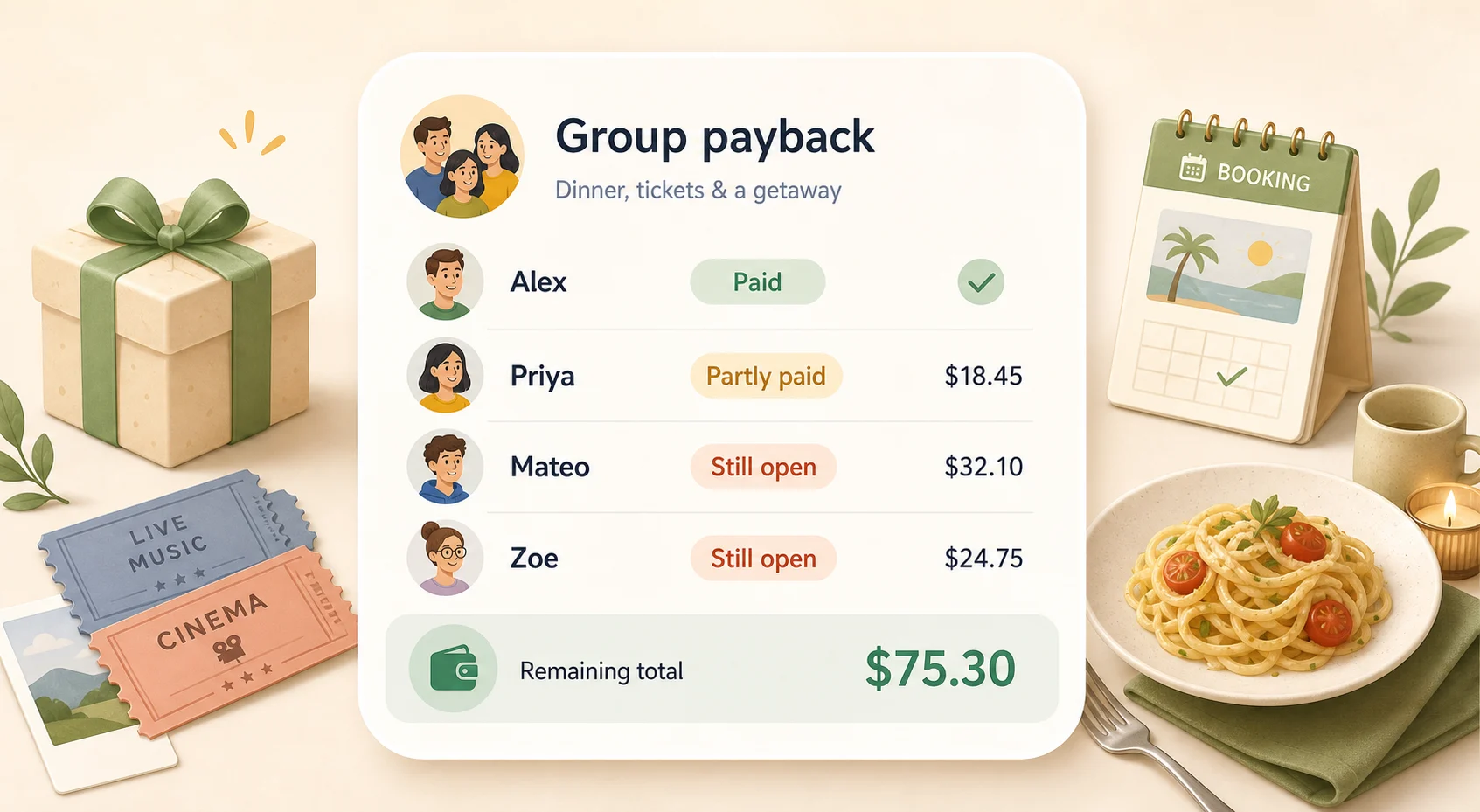
Direct answer
Short answer
The easiest system is one row per person: their agreed share, how much they already paid back, their status, and the amount still open.
When personal orders differed, use the fair bill-splitting guide to choose the original shares before you record repayments.
Share = total paid ÷ people included
Still open = agreed share − amount paid back
Total still open = the sum of all open amounts
If you still need the first number, use the Split Expense Calculator before tracking paybacks.
If a cancellation, refund, resale, replacement, or added charge changed the original shares, recalculate the shared cost first before you track who has paid.
If you already know the cost and want the paid / partly paid / still-open status now, use the Group Payback Calculator.
Keep the original split and the paybacks separate. Do not erase the original amount when someone pays part of it. Record the repayment, update the status, and keep the remaining amount visible.
What to record when people pay you back for a group expense
A good group payback record should be clear enough that nobody has to reconstruct the situation later. You do not need a complicated spreadsheet. You need the details that answer: what was paid, who was included, who has paid back, and what is still open.
| Field | What to write | Example |
|---|---|---|
| Total amount | The full amount you paid first | $360 cabin deposit |
| What it was for | The reason or shared cost | Cabin booking deposit |
| People included | Only the people who agreed to share the cost | You + five friends |
| Each person’s share | Equal or custom amount for each person | $60 each |
| Paid back | How much each person has already sent | Leo sent $30 |
| Status | Paid, partly paid, or still open | Partly paid |
| Still open | The amount still owed by that person | $30 |
| Date and notes | When the payment happened or any useful context | Paid half on June 20 |
| Next check-in | A reminder date if the share stays open | Check again Friday |
If the shares are custom instead of equal, replace the equal share with each person’s agreed amount. The tracking method stays the same: agreed share minus amount paid back equals still open.
If one person paid only part of one known amount, the Partial Repayment Calculator can help confirm what remains.
Example: tracking a shared booking deposit
Imagine you paid a $360 cabin deposit for six people, including you. The equal share is $60. Your own share is already covered because you paid first, so the amount you need to track from the other five people is $300.
Two people paid in full, one person sent half, and two people have not paid yet.
| Person | Share | Paid back | Status | Still open | Note |
|---|---|---|---|---|---|
| Alex | $60 | $60 | Paid | $0 | Paid June 20 |
| Maya | $60 | $60 | Paid | $0 | Paid June 21 |
| Leo | $60 | $30 | Partly paid | $30 | Sent half |
| Sam | $60 | $0 | Still open | $60 | Reminder needed |
| Nina | $60 | $0 | Still open | $60 | Reminder needed |
Total paid back$150
Total still open$150
The important part is that Leo is not marked as paid just because money came in. The record shows the original $60 share, the $30 payment, and the $30 still open. That makes the next reminder specific instead of awkward.
How to update the list as people pay you back
- Start with the original split Record the total, who was included, and each person’s share before anyone starts paying you back.
- Record repayments separately When someone sends money, add that payment to their row instead of changing the original share.
- Use three simple statuses Paid means nothing is open. Partly paid means some money came in but a remaining amount still exists. Still open means no repayment has been recorded yet.
- Check the remaining amount before messaging A reminder is easier when it names the exact amount and what it was for.
- Close the list when everyone is settled Once every row shows $0 still open, the group expense is finished. Keep the record if you may need the history later.
If the list has several names or partial payments, the Group Payback Calculator can do the subtraction and create a copyable update before you send the next message.
Why group paybacks get messy
A group expense usually starts as one simple number. It gets confusing because the split and the actual paybacks happen at different times.
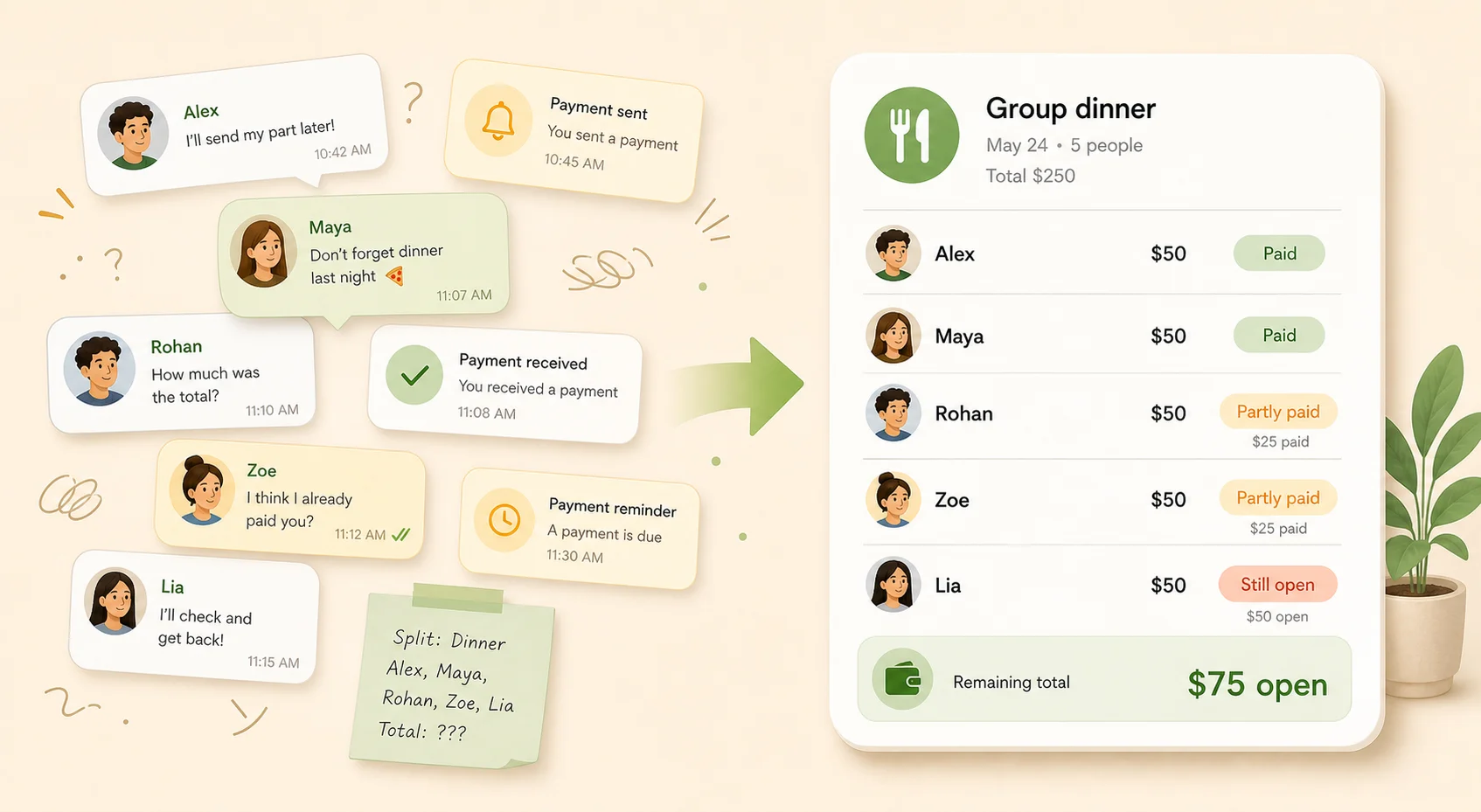
People pay at different times
One person pays right away, another pays next week, and someone else needs a reminder.
Partial payments happen
Someone might send half now and the rest later.
Chat history gets buried
The original total, who was included, and who already paid can disappear inside messages.
Payment apps show transfers, not the full story
A transfer shows money moved, but not always what it was for or what still remains.
A split calculator does not track completion
A calculator tells you each share. It does not keep the paid, partly paid, and still open statuses updated.
Copyable messages for group paybacks
A good group payback message should be specific, calm, and easy to answer. Name the expense, the amount, and what changed. Avoid vague messages that make the other person search their memory.
These examples are enough for simple cases. For the full decision — one group update, individual follow-ups, partial-payment replies, and “I already paid” checks — read how to remind a group to pay you back without spamming everyone.
If the math is clear but the wording still feels awkward, use the Polite Payback Reminder Generator for a calmer version.
You can also browse Repayment Reminder Text Examples if you want ready-made wording for different tones.
When a note is enough — and when a tracker helps
A note or split calculator is enough when
- everyone pays immediately
- the shares are simple
- there are no partial payments
- you do not need reminders
- you do not need to keep the history
- this is a one-time expense that will be settled today
A group payback tracker helps when
- you paid first
- people repay later
- some people pay only part
- you need to know who still owes
- you may need to send reminders
- you want one clear record instead of scattered messages
- the group cost should stay connected to each person’s balance
When the shared cost stays open, the Group Payback Tracker gives the cost one place to live until everyone is settled.
Which method should you use?
| Situation | Best method | Why |
|---|---|---|
| You only need to divide one bill | Split Expense Calculator | It gives each person’s share quickly. |
| You paid first and people will pay later | Group Payback Tracker | It tracks paid, partly paid, and still open status. |
| Some people paid, some partly paid, and some still owe | Group Payback Tracker | It keeps the remaining amount visible per person. |
| The same people keep sharing costs over time | Running Balance Calculator | It shows what is still open after many expenses and repayments. |
| Everyone wants to join the same shared ledger | Full collaborative group expense app | That may be better when many people need to add expenses from their own devices. |
| The amount is clear but the message is hard | Reminder Generator | It helps turn the number into a calm next message. |
You do not always need an app. If everyone pays right away, a calculator or message may be enough. You Owe Me helps most when the payback list stays open and needs to change as people send money back.
If this is no longer one group expense and the same people keep exchanging money, use the Running Balance Calculator to see the current balance over time.
If you are choosing between a collaborative group ledger and one-person payback tracking, read the Splitwise Alternative comparison.
Common situations where this works
Group gift
One person buys the gift, then everyone contributes their share later.
Tickets
You buy the tickets first so the group can sit together, then friends send their part.
Dinner
One person covers the bill because it is faster, then the group pays back afterward.
Deposit or booking
You pay a cabin, hotel, event, or reservation deposit before everyone contributes.
Office or team gift
A lightweight way to track contributions without turning it into a formal finance process.
Household or family shared purchase
Useful for one shared item, even if the wider relationship has its own running balance.
Mistakes that make group paybacks harder
Only saving the original split
The split tells you what people should pay. It does not tell you who actually paid.
Editing old numbers instead of recording repayments
If someone pays part, keep the original share and record the payment separately.
Marking someone paid after a partial payment
Use “partly paid” until the remaining amount is zero.
Relying on chat history
Chats are useful for context, but they are easy to lose when the group keeps talking.
Sending vague reminders
“Can you send the money?” is harder to answer than a message with the amount and reason.
Product fit
How You Owe Me helps when the payback stays open
Manual tracking works when the list is short and everyone pays quickly. You Owe Me helps when the group expense stays open across days or weeks, partial payments happen, or you want one clear record before sending reminders.
One Group Payback record
Keep the shared cost in one place instead of spreading it across notes, screenshots, payment apps, and messages.
Equal or custom shares
Track the amount each person agreed to pay, even when shares are not identical.
Paid, partly paid, and still open
See who is settled, who paid only part, and who still has an amount open.
Partial paybacks
Record money that came in without losing the remaining balance.
Calmer reminders
Use the actual amount and history to write a specific reminder without making the situation heavier.
Connected balances
When the same person has other money history with you, the payback can stay connected to their broader balance.
No forced setup for everyone else
One person can keep the record and share a clear update when needed. Others do not need to install the app just to understand what is open.
Track group paybacks without losing the thread
Best for group gifts, tickets, dinner, deposits, bookings, and shared purchases where one person paid first and people repay over time.
Related tools and guides
Group expense payback FAQ
What is the easiest way to track who paid me back for a group expense?
Keep one table with each person’s agreed share, amount paid back, status, and still-open amount. Update it whenever someone pays instead of relying on chat messages or memory.
How do I track partial paybacks?
Do not mark the person as paid until their full share is covered. Record the amount they sent, subtract it from their agreed share, and keep the remaining amount visible.
Is a split calculator enough for a group expense?
A split calculator is enough if you only need to know each person’s share and everyone pays right away. A tracker helps when paybacks happen later, someone pays only part, or you need reminders.
Do other people need to install the app?
No. One person can keep the record and share a clear message, summary, screenshot, statement, or link when someone needs to understand what is still open.
What if people owe different amounts?
Use each person’s agreed share instead of one equal share. The method stays the same: agreed share minus amount paid back equals still open.
What if the same group keeps sharing costs?
If this is one shared cost, a group payback list is enough. If the same people keep paying for different things over time, a running balance or shared expense tracker is usually better.
What should I say when reminding someone?
Keep the reminder specific and neutral. Name what the expense was, their share, and the amount still open. Avoid vague reminders that make the other person search their memory.
Keep the payback list clear until everyone is settled
For one simple group cost, the table above may be enough. If people pay at different times, send partial amounts, or need reminders later, You Owe Me gives the payback one clear place to live.
Published · Updated