Quick start guide
How YouOweMe works
YouOweMe is a focused iPhone app for money between people, maintained since 2016. The core model is simple: choose the person, record what happened, and the app keeps the balance, history, reminders, shareable records, and next conversation clear.
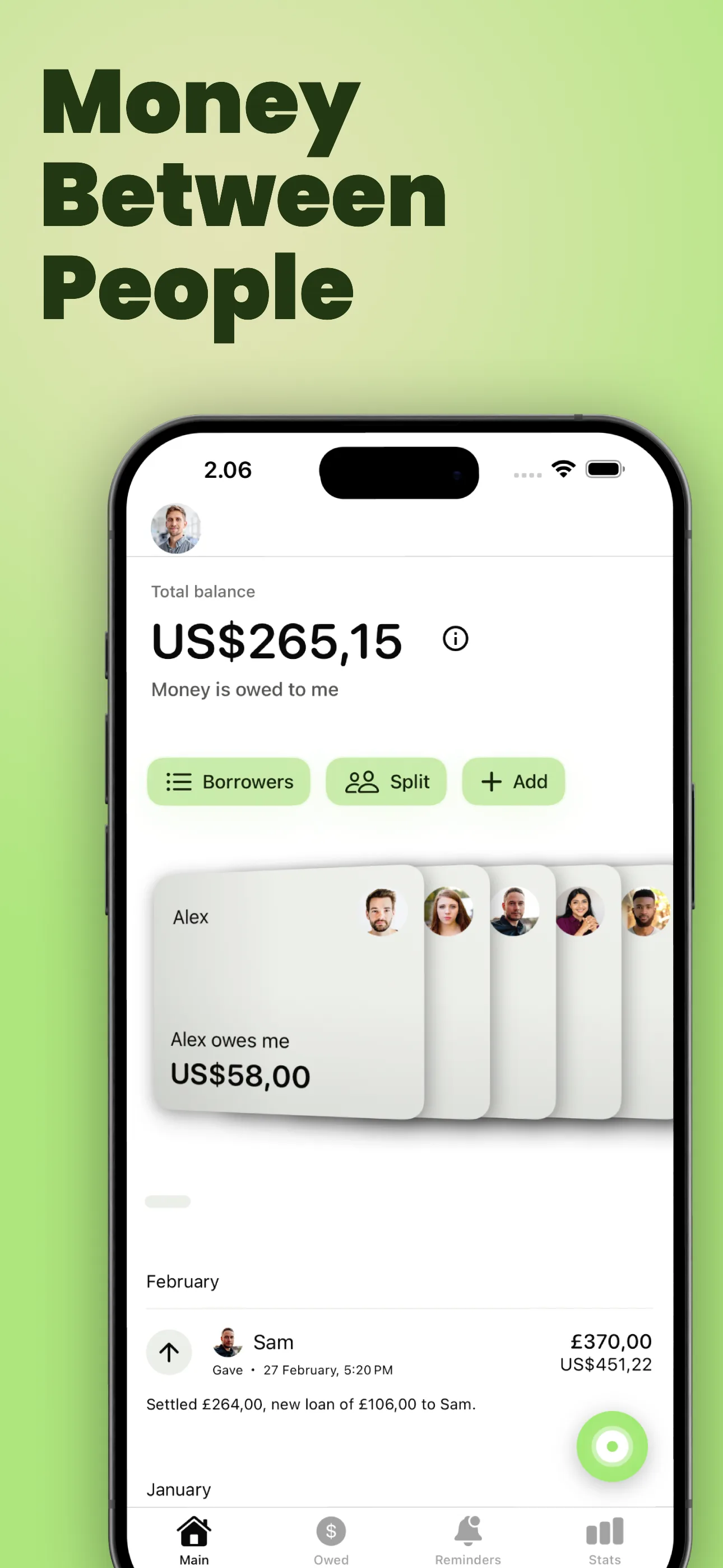
The mental model
One person. One history. One current balance.
YouOweMe is not built around isolated debts that disappear from context. It is built around ongoing money relationships, where expenses, repayments, corrections, and follow-ups all belong to the same story.
Choose the person or client
Add who the money is with now, or start with Voice to Entry and confirm a new person there. Adding people first is optional.
Add entries and repayments
Record what happened: you paid, they paid, you lent money, they repaid, a bill repeated, or a shared expense was split.
Let the balance update
The app updates the running balance and keeps the dated history, notes, reminders, statements, and communication context together.

Voice to Entry
Speak or type to add entries
Tap the AI button on Home, even before adding anyone. Tap Dictate if recording has not started, describe one entry or several, then Create entry. Typing works too. Regular entries support currencies, repeats, interest and due dates.
For a bill split, state the total, participants and allocation. Clear entries can save automatically after validation and allowance checks. Review uncertain details; use Edit or Undo after saving.
Name an existing loan to link a payment: “Alex paid me €50 towards his Car loan.” Unclear loan matches need review and selection. Voice does not create loans or change their terms. See loan examples.
A new name needs explicit Add person & save entry or Add person & review entry confirmation; nobody is created silently. Same-name matches need your selection.
Voice and text interpretation need internet. Manual entry and local records work offline.
Explore the full Voice to Entry guideWhat the app keeps clear
The simple record can grow when the situation does.
Most people start by tracking who owes what. You Owe Me adds structure only when the real situation needs it: a Space for a separate context, a shared-cost split, a Group Payback, a recurring entry, a separate loan, a reminder, a clearer message, an always-current Live Link, a private Balance Sync connection, or a formal PDF.
Running balance and Balance Replay
See where things stand now, and what was true before.
Every expense, loan, repayment, partial repayment, and adjustment updates one balance. When you scroll through the history, Balance Replay helps you understand what the balance looked like around older entries instead of only showing today's total.
New to the idea? The running balance guide explains the basic meaning, a simple formula, and an example before you use the app.
Learn what a running balance means
Spaces
Keep different parts of your money life separate.
Use separate Spaces for Personal, Work, Family, Debt & loans, or another context that should have its own people, entries, Loan Records, repayment plans, and total. Switching Spaces changes the context without combining their totals.
See how Spaces work
Split Entry
Split one shared expense into clean per-person balances.
When one payment belongs to several people - dinner, tickets, groceries, a taxi, household supplies, or a trip cost - enter the total once, choose who participated, and split it equally or with custom amounts. YouOweMe saves the correct entry for each real person, so every balance stays separate and clear.
See Split Entry
Group Paybacks
Track one shared cost until everyone pays.
When you paid first for a gift, tickets, dinner, deposit, booking, or another shared purchase, create one Group Payback. You can see who paid, who partly paid, and who still owes while every participant’s share stays connected to their own running balance.
See Group Paybacks
Loan Records
Keep important loans separate without losing the full picture.
Create a named record for a specific personal loan, family loan, rent deposit, larger purchase, or other balance. Each Loan Record has its own remaining balance and updates, while the full person balance still stays correct.
You do not have to start an existing loan from a blank record. Choose New loan → Import loan history in the app, or review notes, a supported spreadsheet or document, or a photo on the website first. Check the imported details before saving; later repayments continue in the same loan record. Read the import steps and limits.
If temporary support was just agreed and you only need a copyable note first, use the Temporary Financial Support Record Template before tracking repayments in the app.
To review upcoming repayments across open loans, open Loan Outlook from Loans in Records. See what is to pay and expected back in your selected Space or local records, with overdue amounts and loans without an agreed payment date kept separate.
See Loan Records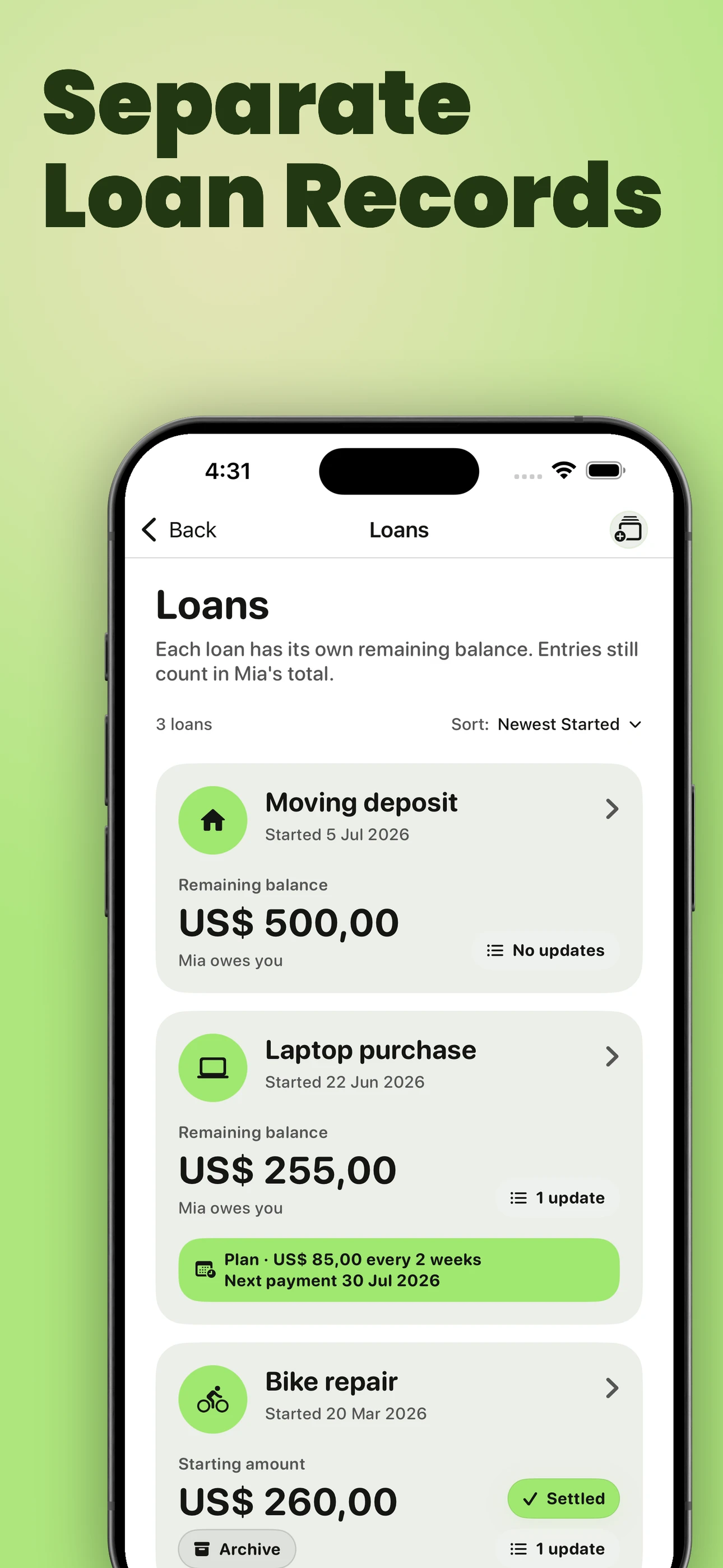
Recurring Entries
Let repeated costs become real entries on schedule.
Turn rent, utilities, subscriptions, allowances, or another repeating cost into a schedule from daily to yearly. Each repeat creates a dated entry, so repayments and the current balance stay accurate instead of relying on a separate reminder or memory.
See Recurring Entries
Repayment Plans
Add a schedule when a loan needs more structure
Compare lower-payment, balanced, and faster-payoff options, or build around a payment amount, payoff date, or number of payments. Choose weekly, every-two-weeks, or monthly timing before saving the plan.
Then record payments against the same loan. Partial or extra amounts update what remains, the projected payoff, and the next reminder, so there is no separate schedule to maintain by hand.
See Repayment Plans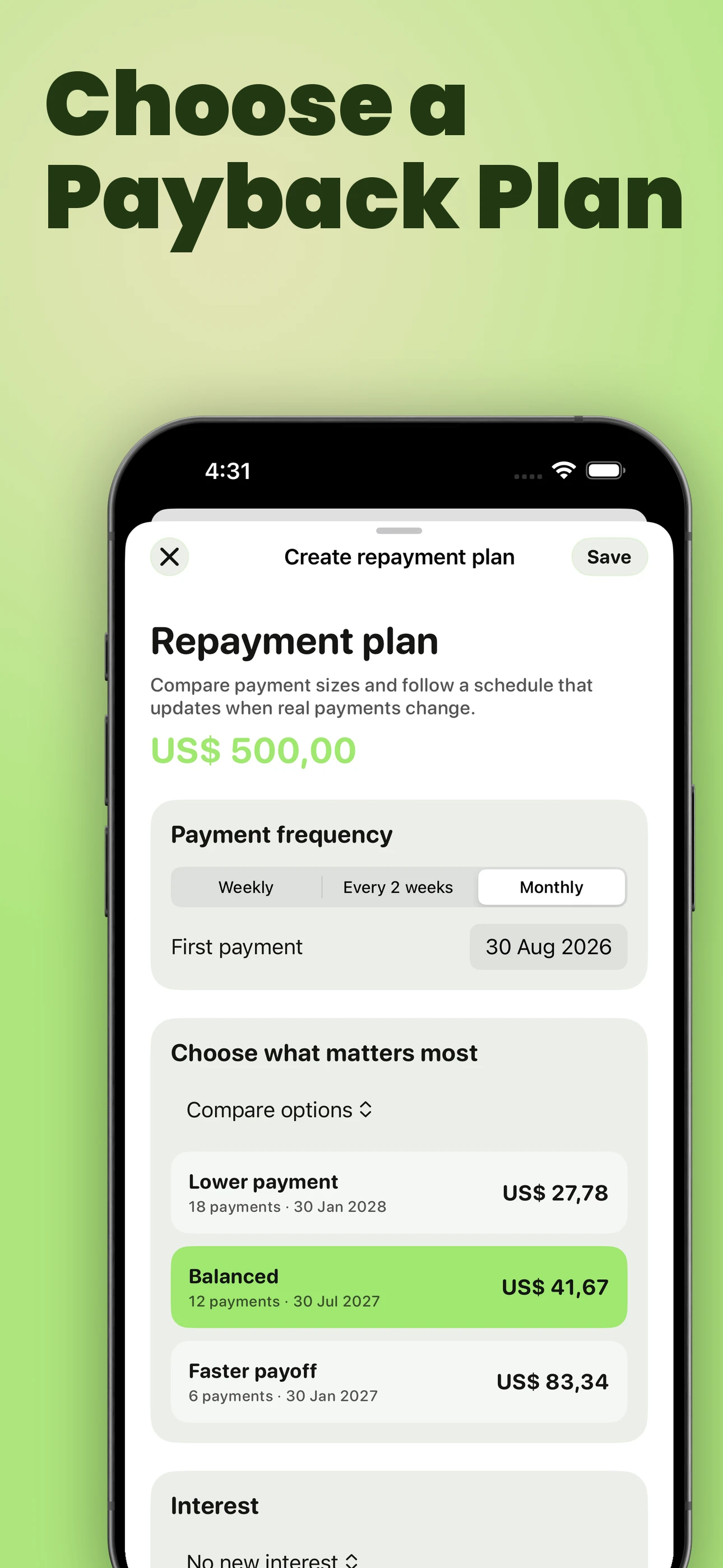
Reminders and Smart Money Check-Ins
Do not rely on memory for timing.
Set reminders for a specific IOU, bill, person’s balance, or lighter follow-up check-in. For an active repayment plan, the reminder follows the next unpaid installment and changes after payments are recorded.
Nothing is sent automatically. You decide whether to act, edit a message, share a statement, record a payment, or do nothing.
If you owe someone and the repayment timing changed, use the repayment update guide before the silence gets awkward.
See payment reminders
Supporting photos
Keep the receipt or agreement with the record.
Attach one receipt, invoice, agreement, or payment-confirmation photo to an entry or Loan Record. When you create a PDF, the relevant photos can become clearly matched appendix pages instead of separate files with no context.
See photos and PDF appendices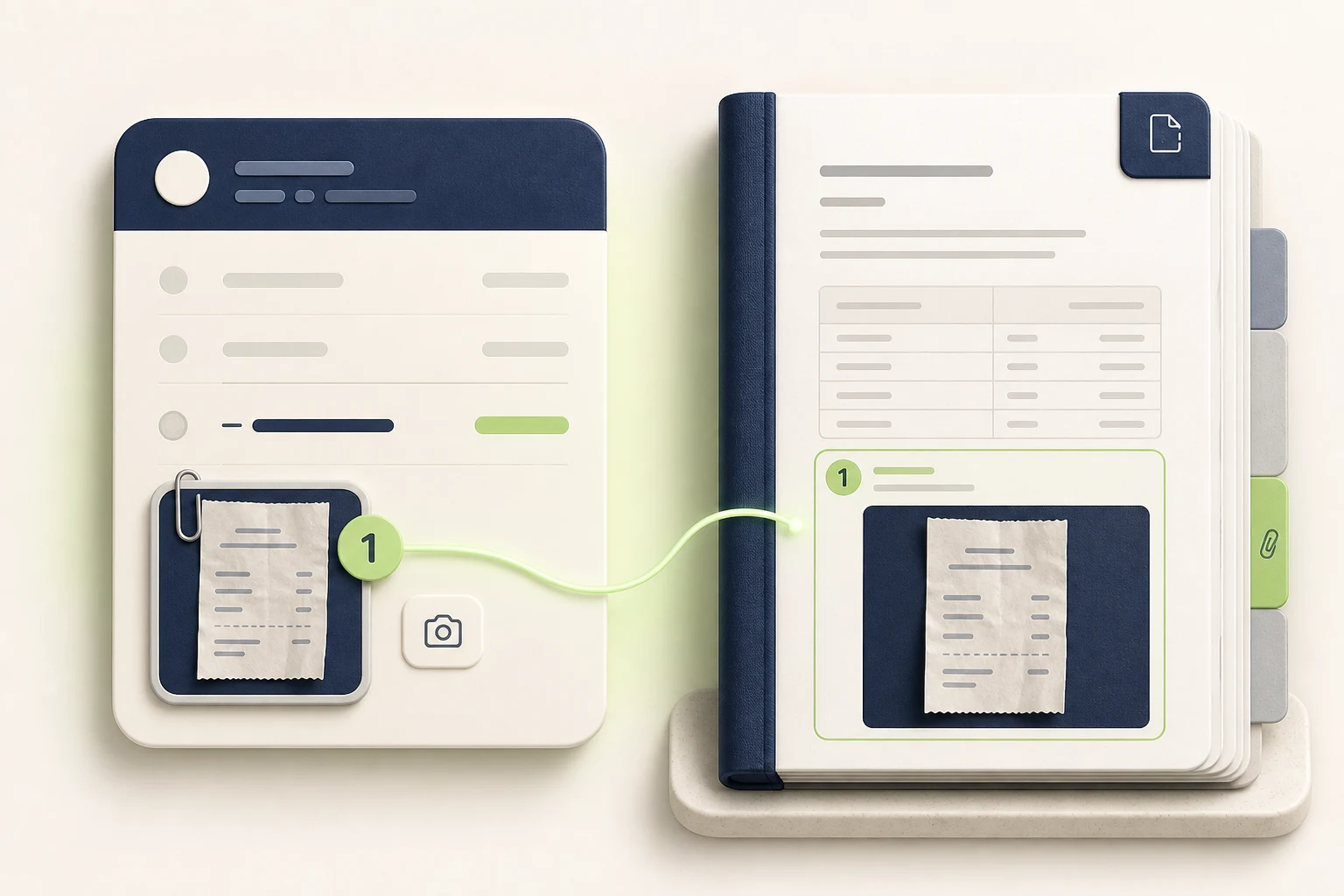
Relationship Timeline
See the money story with each person.
Timeline brings entries, repayments, separate loans, repayment-plan milestones, follow-ups, repayment updates, loan requests, and shared records into one chronological view. It can surface the plan that is overdue, due today, or coming next, while still showing when no action is needed.
See Timeline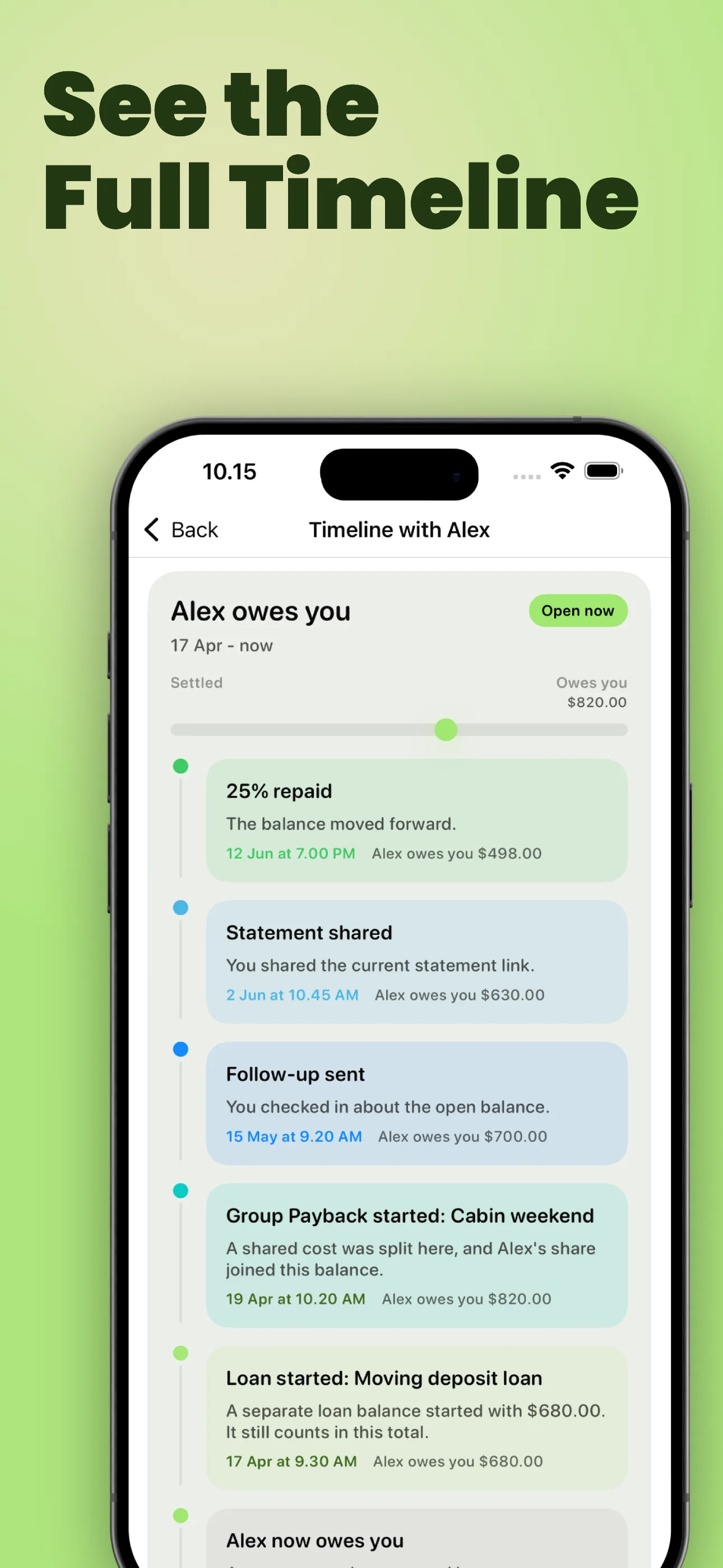
Money Conversations
When the number is clear but the wording is hard.
Generate follow-up, ask-for-loan, and repayment-update messages from the real balance and history. You stay in control of the tone before sending anything.
If you are not tracking yet and first need wording for the conversation, read how to ask family for temporary financial help or how to send a repayment update when you need more time.
Read message guidance
Live Link and statements
Share the record without another screenshot.
Send one always-current Live Link when someone needs to review the latest balance and history in a browser. The viewer does not need the app or an account and cannot edit the record. For formal situations, create a clear PDF statement from the same records.
If the other person does not want another app, see how one person can keep the record and still share the balance clearly.
See Live Link
Balance Sync
When both people want to update the balance
Live Link is best when one person keeps the record and the other person only needs visibility. Balance Sync is different: exactly two You Owe Me users privately connect one supported balance, and connected changes made from either phone synchronize across both apps.
The recipient receives a new, separate person record. Balance Sync does not merge two existing records or create a group ledger.
See Balance Sync
Tracking mode
Choose the wording that matches your situation.
On first launch, YouOweMe asks what you are mainly tracking. This makes the app feel natural for your use case, without changing the underlying money record.
Friends & Family
For IOUs, shared costs, reimbursements, family expenses, and everyday running balances with people you know. If you need a quick repayment schedule before tracking the real payments, try the Payment Plan Calculator.
If your situation is temporary help between people - for example rent, groceries, bills, or support repaid in steps - see the Temporary Financial Support Tracker for the softer support-and-repayment workflow.
Clients & Business
For client balances, work payments, partial payments, cleaner records, and statement wording that feels more professional, start with the Simple Client Payment Records solution.
Loans & Repayments
For longer-term loans, repayment history, due dates, remaining balances, and interest - either percentage interest over time or one fixed interest amount added once.
The money logic stays the same.
Tracking mode changes labels, examples, messages, demo content, and statement wording so the app feels natural for friends, family, clients, or loans. It does not change the core record: your balances, entries, currencies, people, repayment math, and saved history stay the same.
Go deeper
When you want more detail, the full site is here.
Running balances, Timeline, Loan Records, repayment plans, reminders, Live Link, statements, exports, privacy, and more.
Trust Read real App Store reviewsSee how people use the app for family reimbursements, IOUs, loans, client balances, recurring costs, and reminders.
Try the model Open the Running Balance CalculatorSee how entries and repayments change one balance over time before using the full app.
Plan repayment Open the Payment Plan CalculatorTurn a known remaining balance into weekly, biweekly, or monthly repayment steps.
Compare Compare YouOweMe with SplitwiseUnderstand collaborative group ledgers versus YouOweMe's per-person running-balance model.
Compare Compare spreadsheet vs appDecide when notes, spreadsheets, calculators, or YouOweMe make the most sense.
Privacy Understand privacy and dataMoney records are sensitive. See how local records, sync, sharing, AI tools, App Lock, and the full policy fit together.
Start with one balance. Add structure only when you need it.
That is the center of You Owe Me: a clear record first, then reminders, messages, separate loans, repayment plans, sharing, and statements when the amount or relationship needs more care.
Updated