Shared money
Can One Person Track Shared Money Without Everyone Installing an App?
Yes. One person can track shared money without everyone installing the same app, as long as the record is clear, current, and easy to share. You do not always need every friend, partner, roommate, family member, client, or group member to create an account just to understand what is still open.
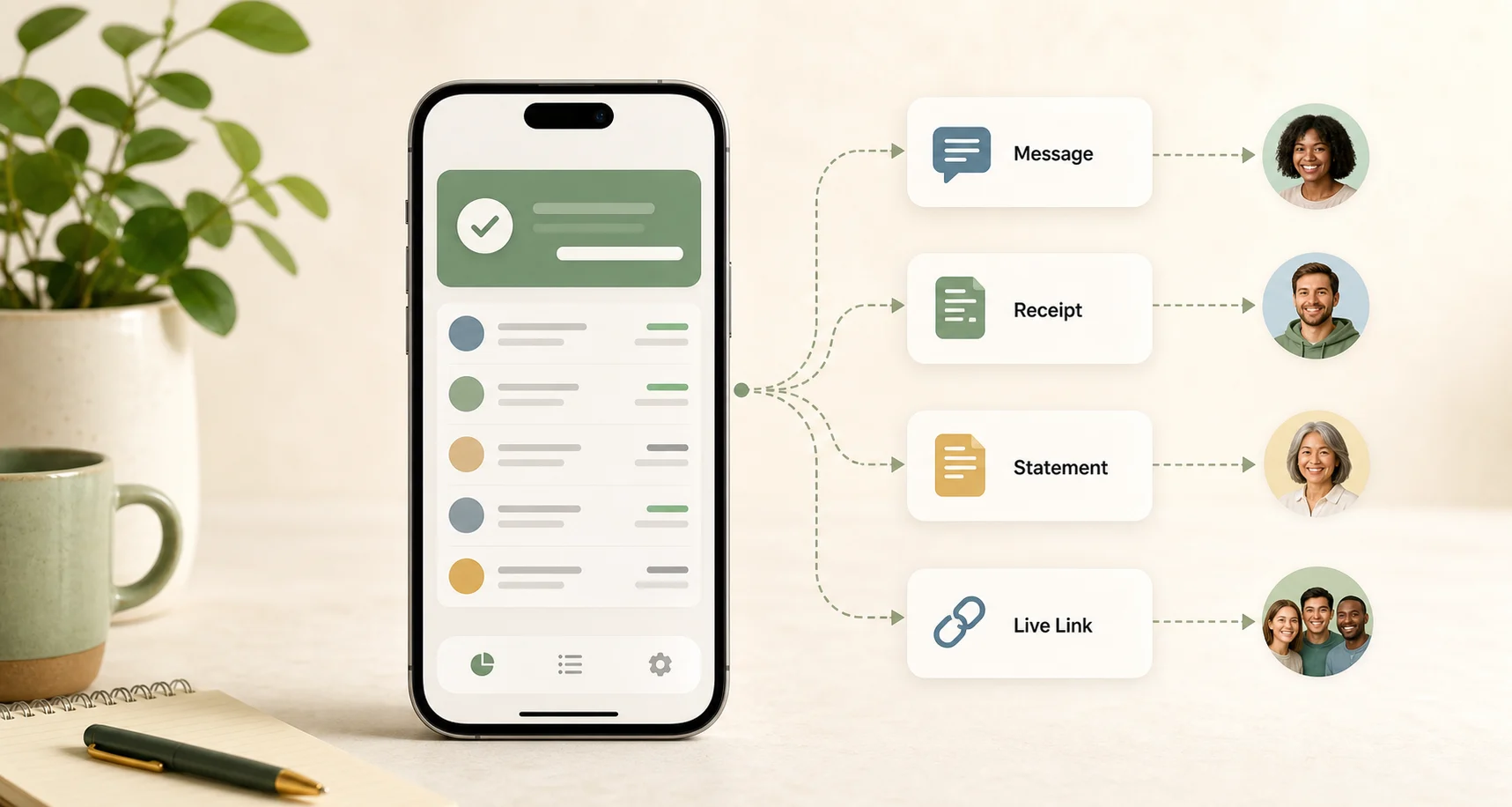
The important part is keeping one reliable record: who paid, what it was for, what was repaid, what still remains, and when the balance changed. Then you can share the current state as a message, screenshot, repayment receipt, PDF statement, or Live Link.
You Owe Me is built for this model: one person keeps the running balance and history, while the other person can still see the balance when needed.
Use this when: one person is willing to keep the record and the other person mainly needs clear updates, not full editing access.
Start your own clear record. Share the balance only when needed.
The real issue
The real problem is not app installation — it is trust in the record
The hard part is usually not knowing whether an app could help. It is getting everyone to agree on the same memory. Old messages get buried, screenshots become outdated, partial repayments are easy to forget, and one person often ends up being the organizer anyway.
People resist shared money apps for normal reasons: setup feels too heavy for something personal, temporary, small, awkward, or informal. The other person may not want another app, may not be technical, may only need occasional visibility, or may not want to manage a shared ledger.
That is why one-person tracking can work well: one person keeps the record carefully, and the other person gets enough visibility to understand what is open. The real issue is whether both sides can understand the same current balance.
The practical promise is no forced setup: you can share clarity without forcing everyone to install an app before a record exists, then send the current balance when someone needs it.
Core framework
Private record, shared visibility
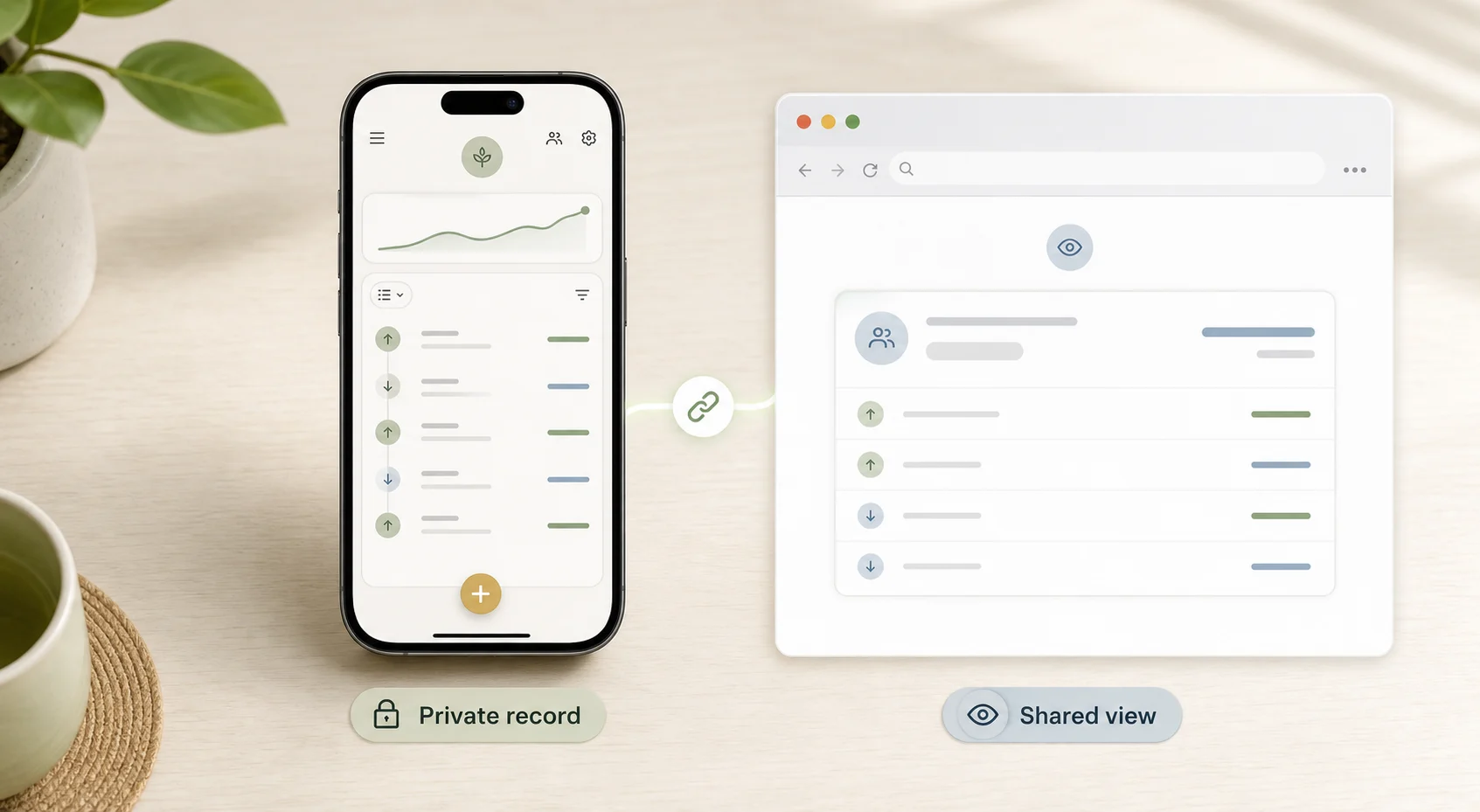
Private record, shared visibility means one person can keep the full timeline, notes, reminders, receipts, and repayment history, while the other person gets the right level of update when it matters.
Record
Write down what happened: who paid, what it was for, who is included, and whether repayment is expected.
Balance
Keep one current amount instead of scattered notes, old messages, and separate repayments.
Visibility
Share the balance as a message, screenshot, receipt, PDF statement, or Live Link depending on the situation.
Conversation
Use the record to send a calmer update instead of guessing, arguing, or digging through chat history.
New to the app workflow? See the Quick Start guide for how people, entries, balances, Timeline, statements, and Live Links fit together.
When one-person tracking works well
One-person tracking works best when one person is already the organizer and the other person mainly needs clarity. They do not need to manage the record every day. They just need to trust the current number when it matters.
- One person naturally paid first.
- The other person does not want another app.
- The relationship is personal and you want to keep it low-friction.
- You only need occasional balance updates.
- Repayments happen later or in parts.
- The balance may continue over time.
- You need a record before sending reminders.
- A family member, partner, roommate, friend, or client only needs a statement or link.
What one person should record
Keep the record compact. The goal is not to build a complicated ledger. The goal is to make the current balance understandable later.
| Record field | Why it matters |
|---|---|
| Person | Shows who the balance is with. |
| Direction | Shows who owes whom. |
| Amount | Shows the original cost, loan, or shared amount. |
| Reason | Explains what the money was for. |
| Date | Keeps the timeline clear. |
| Repayments | Shows what already changed. |
| Remaining balance | Shows what is still open now. |
| Last shared update | Shows what the other person has already seen. |
| Next step | Reminder, receipt, statement, Live Link, or no action. |
If the situation only happens once, this record may be enough as a note or message. If the balance keeps changing, it becomes easier to keep it in You Owe Me.
If you first need the basic money-owed record, start with how to keep track of who owes you money before choosing a long-term setup.
When both people want editing access
Balance Sync is the two-person option
One-person tracking remains the lowest-friction setup when the other person only needs visibility. If exactly two people both want to add or update supported connected entries, Balance Sync can privately connect one balance across both You Owe Me apps.
Balance Sync requires both people to use the app. It does not create a group ledger or synchronize Group Paybacks.
See Balance SyncExample: one person keeps the balance, the other person sees the current state
You and Alex share small expenses over a few weeks. Alex does not want another app, but wants to understand the current balance.
| Date | What happened | Change | Current balance |
|---|---|---|---|
| Jun 2 | You paid for groceries Alex agreed to split. | + $24 | Alex owes $24 |
| Jun 7 | Alex paid you back part of it. | - $10 | Alex owes $14 |
| Jun 14 | You paid a shared subscription renewal. | + $6 | Alex owes $20 |
| Jun 18 | You shared the current balance. | — | Alex can see $20 open |
In this example, Alex does not need to install an app just to understand the number. The record shows what happened, what changed, and what is still open. If the balance changes again, a static screenshot may need to be resent, while a Live Link can keep the shared view current.
If you want to test this kind of changing balance before using the app, use the Running Balance Calculator.
This works for group paybacks too
If you paid first for tickets, a group gift, dinner, booking, deposit, or event cost, the group does not always need a full collaborative expense ledger. Sometimes one person just needs to track who paid, who partly paid, and who still owes.
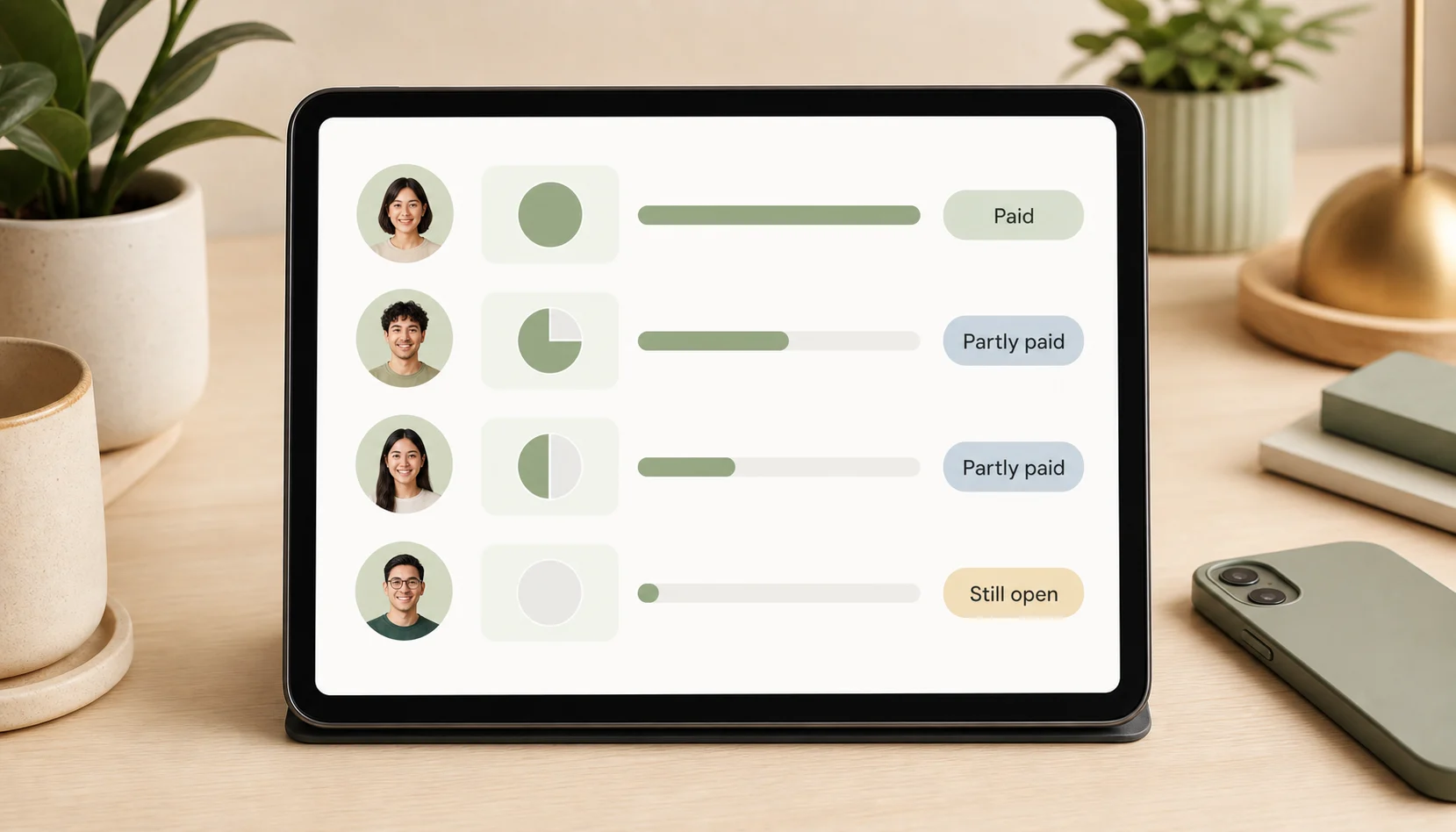
| Person | Share | Paid back | Status |
|---|---|---|---|
| Maya | $40 | $40 | Paid |
| Leo | $40 | $20 | Partly paid |
| Sam | $40 | $0 | Still open |
| Nina | $40 | $40 | Paid |
This is different from just calculating a split. A split calculator tells you what each person should pay. A Group Payback record helps after that, when you need to know who has actually paid back, who paid partly, and who still needs a reminder.
For this use case, a quick browser calculator can show the current paid, partly paid, and still-open status. The Group Payback Tracker is better when the payback will keep changing, and the Splitwise comparison helps if you are deciding between a simple one-person payback record and a collaborative group ledger.
Where this works in real life
Friends
Track an IOU, a shared booking, or money you covered without making a casual favor feel formal.
Couples
Keep a running balance when one partner pays more often, without turning the relationship into a spreadsheet. If you are the one paying more and need to decide what should count, use the partner-spending decision guide first.
Roommates
One roommate can track utilities, groceries, or household supplies and share a monthly update.
Family
Track parent expenses, sibling reimbursements, or temporary support while keeping the tone calm.
Groups
Track who paid back for tickets, dinner, gifts, deposits, or bookings after one person paid first.
Clients or simple services
Keep a simple balance history or statement when full accounting software would be too much.
When everyone should use the same shared app
One-person tracking is not always the right fit. A collaborative shared expense app may be better when several people need to add expenses themselves, everyone needs editing access, the group is managing a complex trip, there are many payers and many expenses, everyone wants one shared workspace, or the group wants collaborative reconciliation instead of one-person recordkeeping.
A collaborative group app is better when
- Several people need to add expenses themselves.
- Everyone needs editing access.
- The group is managing a complex trip.
- There are many payers and many expenses.
- Everyone wants one shared workspace.
You Owe Me is strongest when
- One person is willing to keep the record.
- The balance may change over time.
- Repayments or partial repayments happen later.
- The other person mainly needs clear visibility.
- You want no forced setup before the record starts.
Balance Sync is better when
- Exactly two people are involved.
- Both want to add or update the same supported balance.
- They do not need a multi-person group workspace.
- They want a separate record and correct balance perspective on each phone.
For the deeper method decision, compare shared expense apps with running balance apps.
Product fit
How You Owe Me helps when only one person keeps the record
You Owe Me is the calm record and communication layer for money between real people. It helps when one person can keep the record and the other person does not need to install the app just to understand the current balance. For the broader ongoing shared-cost workflow, see the Shared Expense Tracker. If the main situation is an IOU or repayment follow-up, see the App to Track Money Owed.
If the main question is not who needs the app, but what should enter a shared record while the rest of your finances stays separate, read how to track shared expenses without a joint account.
One person can keep the record
You can start with your own clear record instead of waiting for everyone else to install, sign up, or agree on a system.
The balance stays current
Expenses, repayments, partial repayments, and adjustments update the same relationship balance over time.
Live Link gives visibility without setup
When the other person needs to see the current state, you can share a browser link instead of asking them to install the app.
Statements and receipts make updates clearer
Use a PDF statement for a fuller history or a repayment receipt when someone pays back fully or partly.
Money Conversations help with wording
When it is time to follow up, the message can come from the real balance instead of memory or emotion.
For the broader product view, see the Features page for Live Links, PDF statements, repayment receipts, and Money Conversations. If you want a practical setup path, start with the Quick Start guide.
Start the record yourself
You can organize the balance yourself, then share clarity only when it is useful.
Copyable messages
Use these when the goal is a calm update, not a heavy money conversation.
Questions about one-person shared money tracking
Can one person track shared money without everyone using the same app?
Yes. One person can keep the record and share the current balance when needed. The other person does not always need to install the same app just to understand what is still open.
How can I show the other person the balance?
You can send a text summary, screenshot, repayment receipt, PDF statement, or Live Link depending on how much detail the other person needs.
Is a screenshot enough?
A screenshot can be enough for a one-time update, but it becomes outdated when another expense, repayment, or partial repayment changes the balance.
When is a collaborative shared expense app better?
A collaborative shared expense app is usually better when several people need to add, edit, and manage expenses together in the same shared ledger.
Can You Owe Me share a balance without the other person installing the app?
Yes. You Owe Me can help one person keep the record and share the current state through options such as messages, statements, receipts, screenshots, or Live Link.
What should I record before sharing a balance?
Record who paid, what the money was for, the amount, the date, any repayments, the remaining balance, and the last update you shared.
Start with your own clear record
You do not have to convince everyone to install another app before you can make the money clear. Start by keeping the record yourself. When someone needs the current balance, share the right level of visibility: a message, receipt, statement, screenshot, or Live Link.
One person can keep the record. Everyone can get clarity when it matters.
Published · Updated